

Smart Mirror Operation Guide: A Standardized Path to Efficient Interaction and Stable Operation
Dec 30, 2025
Leave a message
As a comprehensive terminal integrating optical reflection and digital information display, the operation of a smart mirror must adhere to both hardware and software technical logic, and must also be tailored to the usage scenario and functional settings to achieve optimal performance and user experience. Compared to traditional mirrors, smart mirrors, due to the integration of display, touch, sensing, and communication modules, have a more diversified and intelligent operation process. Standardized methods need to be established for power-on preparation, basic interaction, function invocation, scene switching, and safety maintenance to ensure smooth operation, accurate response, and safe use.
Basic configuration should be completed before initial use. After powering on, the device typically enters an initialization self-test program. At this time, ensure that the ambient temperature and humidity meet the product's technical requirements and keep it away from strong magnetic fields or high-temperature radiation sources. The initial startup guide interface will prompt users to set language, time, network, and display parameters. Users need to connect to an available wireless network and synchronize the system time and date to ensure the accuracy of cloud information push and scene linkage. If the device has account login or privacy permission management, follow the instructions to complete registration and authorization settings, disable unnecessary data collection functions, and ensure data security.
Basic daily interactions are primarily via touch and voice. The mirror maintains its mirror function in standby mode; it automatically activates the display interface when a person is detected approaching or a voice wake-up command is received. Touch operations must be performed in designated areas of the screen; fingers should be clean and apply moderate pressure; avoid pressing with sharp objects to prevent damage to the touch layer or display panel. The main interface typically includes commonly used information modules such as time, weather, schedule, and news; users can tap the corresponding icons to view details or swipe to switch between sections. For models with virtual try-on, makeup simulation, or health monitoring features, select the corresponding mode in the function menu and follow the prompts to complete data collection or parameter settings. Maintain a stable posture in front of the mirror during operation to ensure sensing and imaging accuracy.
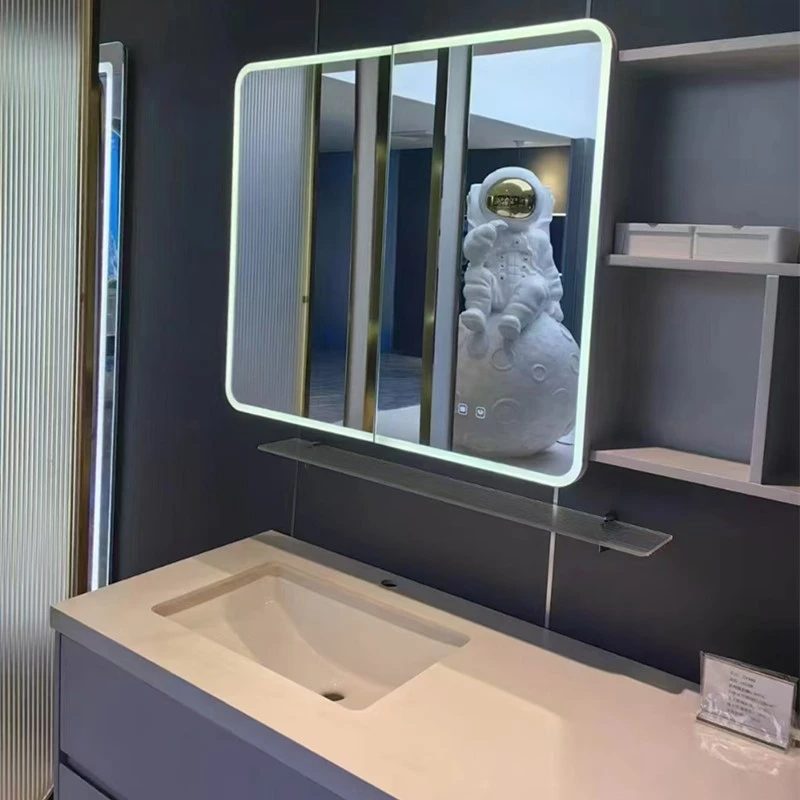
Utilize the system's scene modes for function access and scene switching. Smart mirrors can preset various scenes such as waking up, showering, leaving home, and returning home. Users can customize the display content, brightness, linked devices, and start/stop times for each mode in the settings menu. For example, in Morning Mode, the mirror will announce the day's weather and schedule, and simultaneously turn on the indoor lighting; Shower Mode enhances anti-fog and waterproof functions and displays entertainment or relaxation information. Switching between scenes can be done via touch shortcuts, voice commands, or the mobile app. It is recommended to practice each scene before first use to familiarize yourself with the response logic and timing of each mode.
For advanced operations involving hardware adjustments, such as manual brightness adjustment, touch sensitivity calibration, firmware updates, or sensor cleaning, these should be performed according to the device manual. Brightness adjustment can be done in the display settings by selecting automatic or manual mode based on ambient light. In manual mode, it is recommended to avoid setting the brightness to maximum for extended periods to extend the lifespan of the display module. Touch calibration is usually triggered in the system maintenance menu; simply follow the prompts to complete multi-point positioning to restore accuracy. Firmware updates should be downloaded from official channels and performed in a stable network environment to prevent system malfunctions due to power outages. If there are stains or moisture on the sensor surface, wipe it gently with a soft, dry cloth; do not spray liquids directly, as this may affect sensing performance.
Safety and maintenance procedures also constitute an important part of the operating method. When cleaning the mirror, use a neutral detergent and a soft cloth, avoiding peak screen usage times to prevent liquid seepage into the seams; wipe in a consistent direction to reduce the risk of scratches. If you encounter device malfunctions such as screen flickering, touch malfunction, or decreased voice recognition, try restarting the system first. If the problem persists, contact a professional maintenance technician. Do not disassemble the casing yourself, as this may damage the waterproof and electromagnetic shielding structures. When not in use for extended periods, disconnect the power and store in a dry, well-ventilated place. Perform short-term power-on checks periodically to prevent electronic components from aging due to moisture.
In summary, operating a smart mirror covers initial configuration, daily interaction, function activation, scene switching, and security maintenance. It requires understanding the device's technical logic and functional architecture, and following standardized procedures and scene adaptation principles. Standardized operation and timely maintenance not only ensure clear mirroring, smooth display, and responsive interaction but also extend the device's lifespan, providing a stable and efficient interactive experience for smart living.